Marker-Doodle Brand Studio
Build a loud, warm, hand-drawn website for a brand or packaging designer: cobalt, red and yellow marker accents on warm paper, a laughing cut-out portrait in a cobalt blob, colour-blocked service cards and real packaging photography. Case studies, a scope estimator and a contact brief all work, in …


Similar Skills
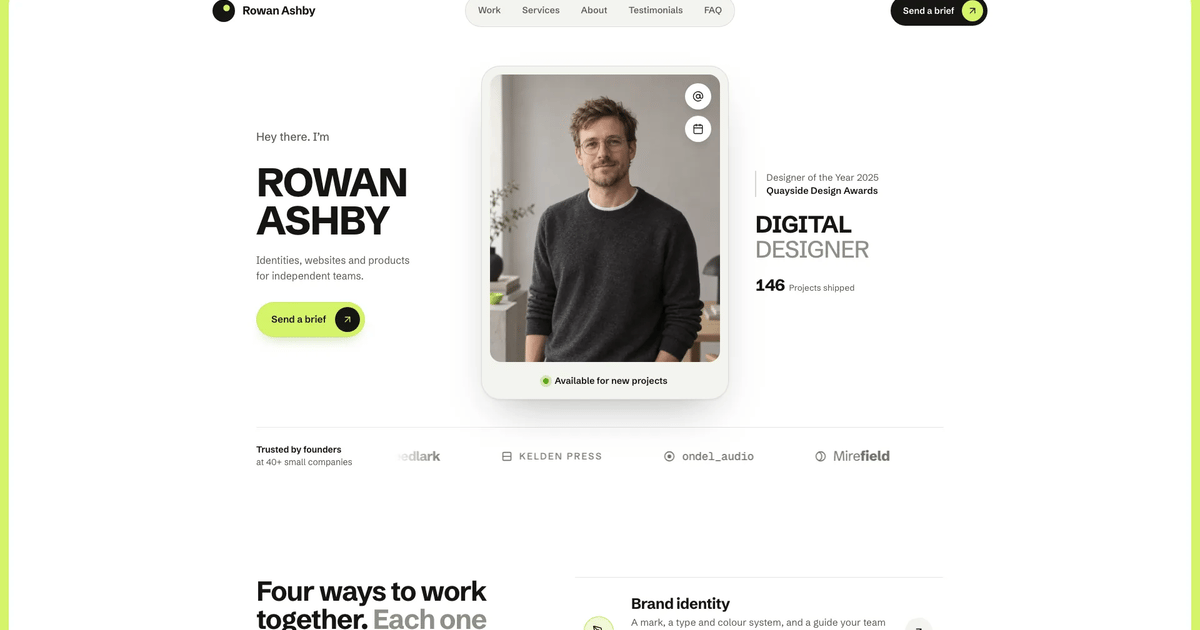
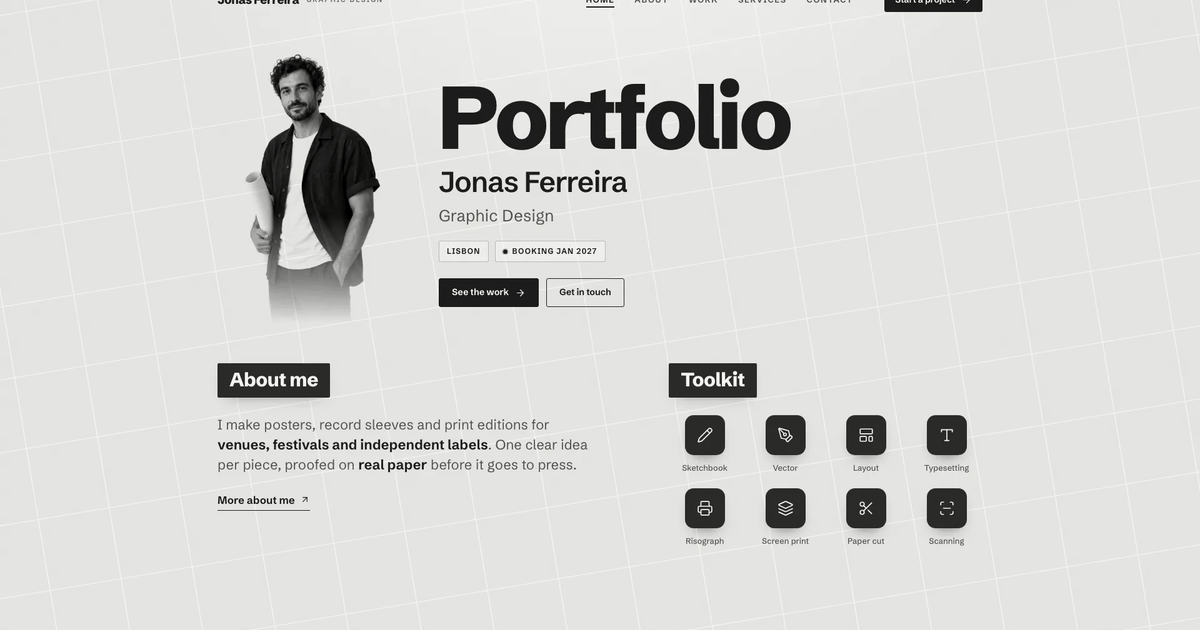
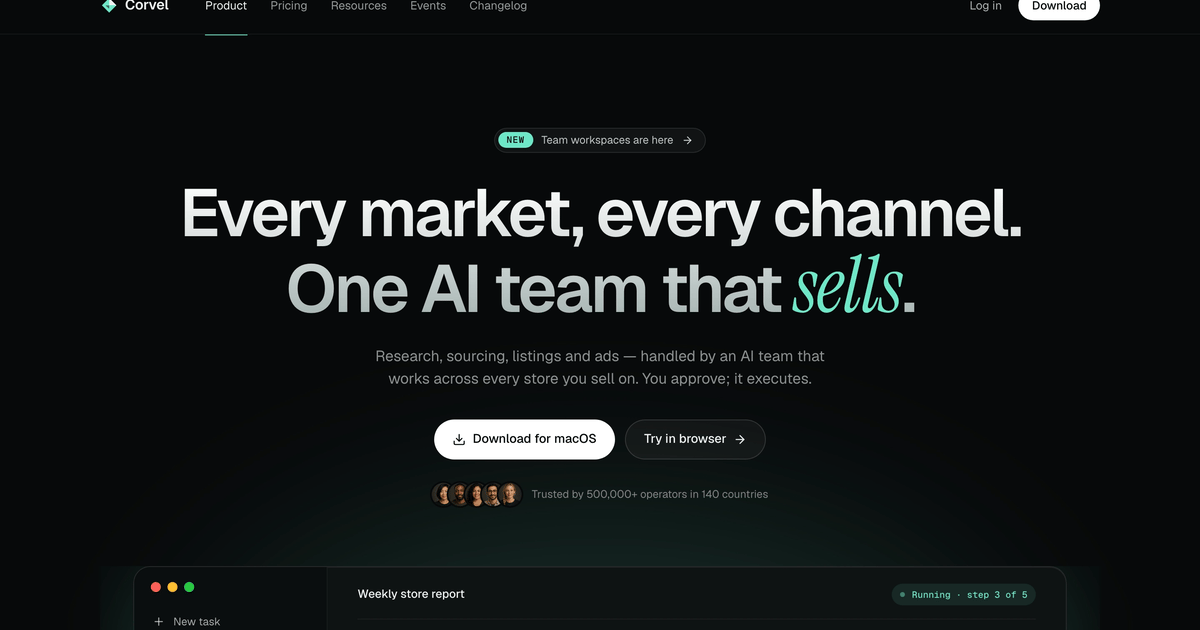
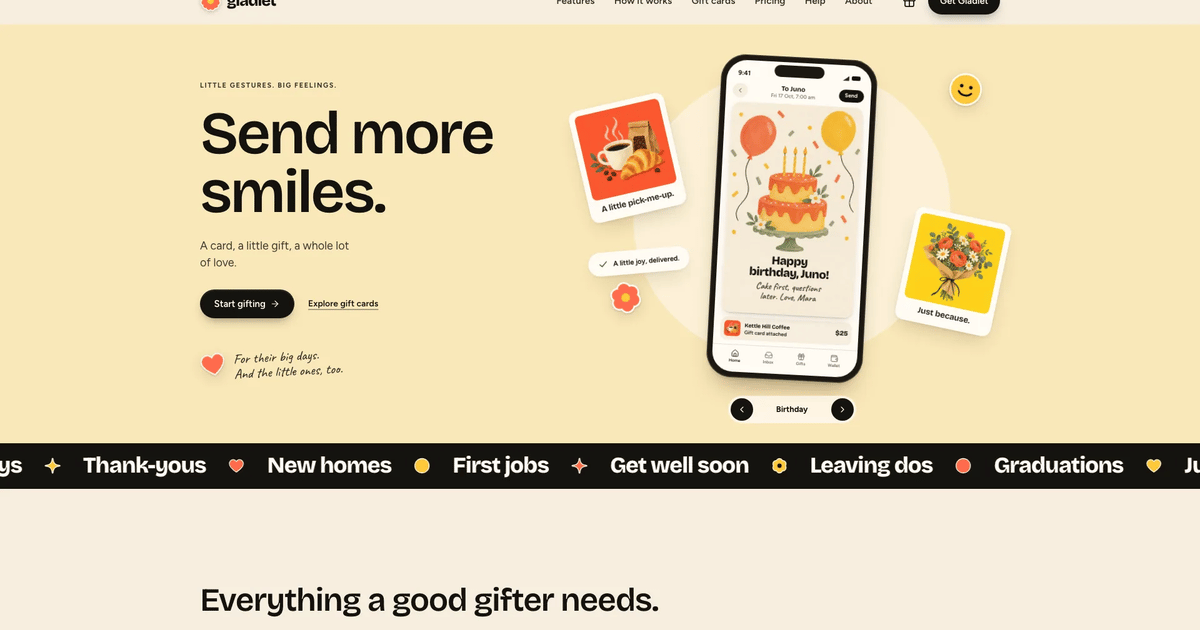
What you’ll get
- One self-contained website file that opens in any browser and works offline, with fonts and images built in; a port into your own framework project when you ha…
- Case studies that pair each packshot with an in-use photo, plus a scope estimator, monthly and quarterly plans, process tabs and a validated contact brief.
- The signature marker headlines, blob portrait, stickers and colour service cards in a 21-page example with 16 images.
Great for
- Independent brand and packaging designers who want their personality on the page.
- Photographers and illustrators who can keep Work as commissions and sell packages as services.
- Bakeries and food makers who can turn Work into their range and Process into how they make it.
Skip it if
- Real form delivery or payments; the contact brief and estimator show honest demo results only.
- Brands that want a quiet, minimal or corporate look rather than marker type and stickers.
- Presenting the fictional Juno Halvorsen, her clients or quotes as real work.
About this Skill
- 1### 1. Gather the content story
- 2Ask for, or draft in the confident first-person voice of the style:
- 3- Name, a four-line hero headline (`I make / brands / that / shout.`
- 4 pattern: short verb line, cobalt keyword line, last word red-underlined),
- 5 one short sub line (a few words, like "Bold brands. A big grin."), one CTA,
- 6 location. Keep the hero minimal and at the template's scale.
- 7- Two to four services (four in the worked example): name, one-line
- 8 promise, three chips, starting price and unit, duration, six inclusions,
- 9 three run phases, fit / not-fit, two FAQs.
- 10- Two to six projects (four in the worked example): client, kicker, year,
- 11 timeline, services, summary, brief, approach, outcome, a client quote
- 12 (name + role), four deliverables and a four-colour palette. One packshot
- 13 and one in-context photo each.
- 14- Three to six articles with a full body (H2 sections, a pull quote, a list).
- 15- Bio, timeline, beliefs, toolbox, talks, three to six process steps,
- 16 pricing plans, contact details, booking date, privacy note.
- 17Map the brief onto these slots with **Adapting to a real brief** below.
- 18Anything the brief does not give is drafted in the house voice (short
- 19sentences, one concrete number per claim, prices that sound decided, no
- 20superlatives) as clearly plausible placeholder copy and listed in your final
- 21reply for the user to confirm or replace. Never invent ratings, press logos,
- 22awards, certifications or real clients.
---
name: bs-marker-doodle-brand-studio
description: Build a complete multi-page website with cobalt, red and yellow marker accents, a blob portrait, colorful service cards and original packaging imagery. Includes connected content pages and interactive controls, with a reusable visual system for new brands and content.
---

# Marker-Doodle Brand Studio

A loud, warm, hand-drawn website for an independent brand or packaging
designer (or any small studio that sells personality). Warm paper ground,
ink text and three marker colours: cobalt `#2340e3`, tomato red `#e8452f` and
sunflower yellow `#f7c520`. Headlines are set in a chisel-marker face, body
copy in a friendly variable grotesk, margin notes in handwriting. The hero
puts a laughing cut-out portrait inside a cobalt blob with a yellow crescent
behind it, red stickers, googly eyes and a location card; four colour-blocked
service cards, real packaging photography and sticker-style doodle
illustrations carry the rest of the site.

`references/template.html` is the visual and behavioural blueprint: one file
with a JS-state hash router, content collections (projects, services,
articles, steps, timelines), every page and every interaction. The worked
example is a fictional designer, Juno Halvorsen, with 21 routes; the store
demo is the same source built into one file with fonts and images inlined.
Build the buyer's site from the template, never from the worked example's
names, clients or images (see **Adapting to a real brief**).

## Quality bar (non-negotiable)

The result must read as a real studio's website, ready to publish
today: premium typography, an image with a job in every slot, calm motion
that never hides content, and working interactions on every page. Read
`references/quality-checklist.md` before you start and tick it before you
deliver. Playful is not the same as messy: every tilt, sticker and doodle sits
on a strict grid, a consistent radius scale and calibrated colours.

## Workflow

### 1. Gather the content story

Ask for, or draft in the confident first-person voice of the style:

- Name, a four-line hero headline (`I make / brands / that / shout.`
  pattern: short verb line, cobalt keyword line, last word red-underlined),
  one short sub line (a few words, like "Bold brands. A big grin."), one CTA,
  location. Keep the hero minimal and at the template's scale.
- Two to four services (four in the worked example): name, one-line
  promise, three chips, starting price and unit, duration, six inclusions,
  three run phases, fit / not-fit, two FAQs.
- Two to six projects (four in the worked example): client, kicker, year,
  timeline, services, summary, brief, approach, outcome, a client quote
  (name + role), four deliverables and a four-colour palette. One packshot
  and one in-context photo each.
- Three to six articles with a full body (H2 sections, a pull quote, a list).
- Bio, timeline, beliefs, toolbox, talks, three to six process steps,
  pricing plans, contact details, booking date, privacy note.

Map the brief onto these slots with **Adapting to a real brief** below.
Anything the brief does not give is drafted in the house voice (short
sentences, one concrete number per claim, prices that sound decided, no
superlatives) as clearly plausible placeholder copy and listed in your final
reply for the user to confirm or replace. Never invent ratings, press logos,
awards, certifications or real clients.

### 2. Choose the deliverable

No existing project: build **one self-contained HTML file** from the
template, like the store demo (hash router, fonts and images inlined). This
is the default; do not ask a stack question. The user has a framework
project or asks for one (Vue, React, Astro, Next.js, a starter…): inspect
the repository first, keep unrelated files intact, never silently migrate an
existing app, and port per `references/framework-adaptation.md` (Next.js App
Router with TypeScript when a framework is wanted but not named). A
framework port uses real routes (`/work/<project>`, `/services/<service>`, …)
instead of the hash router. Never wrap the template in an iframe.

<!-- reui:stack -->
#### Interface components come from ReUI (React outputs)

The template renders its controls in plain HTML so it runs as one
sandboxed file. When the output is a React or Next.js port, build the generic
controls (buttons, inputs, selects, checkbox and radio chips, segmented
toggles, tabs, accordions, the menu sheet, toasts) with
[ReUI](https://reui.io) components, not hand-rolled look-alikes.

- Install from the official registry (`npx shadcn@latest add @reui/button`,
  …) and import from `components/ui`. Source:
  https://github.com/keenthemes/reui.
- Style through tokens, not forks: point `--primary`, `--background`,
  `--border`, `--radius` and the font variables at this style's tokens and
  keep the template's class names on rendered elements.
  `references/reui-components.md` maps every template control.
- Bespoke artwork stays bespoke: the blob stage, stickers, doodle sprite,
  googly eyes, marker underlines, ribbon and service-card art are template
  CSS/SVG, not library parts.
- In a Vue or Svelte project ReUI cannot be used directly; say so and use the
  stack's accessible primitives instead of switching stacks.
<!-- /reui:stack -->

### 3. Read the style guide

Read `references/style-guide.md` and `references/visual-contract.md`.
Non-negotiables:

- Palette: paper `#f6f4ee`, ink `#16161b`, cobalt, red, yellow. Neutrals are
  warm-tinted; no grey-on-grey, no gradients, no fourth accent.
- Type: **Permanent Marker** (uppercase display, stickers, card titles),
  **Bricolage Grotesque** (text and UI, variable 200–800) and **Kalam 700**
  (handwritten notes only). The template loads them from the fontsource
  CDN. In a framework project install `@fontsource/permanent-marker`,
  `@fontsource-variable/bricolage-grotesque` and `@fontsource/kalam` (700)
  or use `next/font/google` (`Permanent_Marker`, `Bricolage_Grotesque`,
  `Kalam` with `weight: '700'`); for a single-file page, download the three
  woff2 files from the template's CDN URLs once at build time and embed them
  as data URIs, so the file makes no network requests. System-font
  fallbacks are not the design.
- Signature structures: blob portrait hero, four-line marker headline with
  red underline, intro card with stats, tilted cobalt client ribbon, four
  colour-blocked service cards, asymmetric work grid, cobalt quote carousel,
  five-step dotted path, red CTA band, cobalt footer with a sticker on the
  big wordmark.

### 4. Plan pages and sections

Read `references/page-library.md`, `references/route-inventory.md` and
`references/interior-pages.md`. The route set follows the buyer's
information architecture; the worked example's Work, Services, About,
Insights, Process and Contact are one mapping, not a requirement. Always
ship Home, at least four other top-level pages, at least one collection
whose items each get their own page (a `<index>/*` detail template fed by a
data array, with a pager), one page with the validated form (contact,
booking or enquiry) and success summary, Privacy and a designed 404. The
worked example's interactive pieces (work filters, search, sort and empty
state; scope estimator; plans with a billing toggle; process tabs and
timeline chart; FAQ) are kept where the business has the matching content
and removed with their hooks where it does not. Every inner page has a
breadcrumb or back link, an H1, a lead and real content.

### 5. Plan the imagery

Read `references/image-plan.md`. Write one art-direction sentence and a slot
table (id, role, aspect, crop focus, where used, prompt) before generating.
Slots in this style:

- **Portraits** — one laughing colour cut-out (transparent or seamless white,
  2:3, head near the top) for the blob, one black-and-white square for the
  intro ring, About disc, bylines and the author card.
- **Packshots** — one square product shot per project on a single flat
  backdrop in the project's colour, no text on the pack.
- **Context photos** — one 3:2 lifestyle photo per project showing the SAME
  product in use (market stall, tea table, craft table, surf hut).
- **Studio and process** — the studio interior (21:9 crop) and overhead
  hands sketching packaging in marker.
- **Article illustrations** — bold flat sticker doodles with thick black
  outlines on one solid colour, 3:2.

No text, letters or logos in any image, no fake UI. Look at every generated
image and regenerate anything off-brief, uncanny or mis-cropped. Use the
host image tool or owned assets; deliver local files, never hotlinks.

### 6. Build

Copy `references/template.html` into the output folder as the source page
(for example `site/index.src.html`, with the images you use in
`site/images/`) and fill every `<!-- REPLACE: … -->` and `/* REPLACE: */`
slot top to bottom, deleting each comment once filled: `SITE`, the data
collections (`IMG`, `PROJECTS`, `SERVICES`, `ARTICLES`, `STEPS`, `GANTT`)
and the markup slots. Then work through the **Replace checklist** below.
Rename routes freely: `data-page`, `data-nav`, every `href="#/…"` (also
inside the render functions) and the `route:` fields move together; the
router finds each detail renderer from `data-detail` on its `<index>/*`
section. Delete unused pages and their links. Keep the router, reveal
observer, carousel, filters, estimator, tabs, chart, forms, copy and toast
code intact or port it. Rules that keep it premium:

- Container 1192 px + `clamp(20px,4vw,40px)` gutters; section rhythm
  `clamp(72px,9vw,128px)`; `clamp()` type scale; 1.6 body line-height,
  56–66ch measure, `text-wrap: balance` on headings, tabular numerals.
- Tilts are small (±0.6–3°) and only on stickers, notes, cards and images,
  never on running paragraphs.
- Every clickable element has hover, `:active` (scale .97), `:focus-visible`
  and, where relevant, selected, disabled, loading, empty and success states.
- Forms validate inline with helpful messages, show a loading state and a
  confirmation that says nothing was sent in a demo.

### 7. Motion

Read `references/motion-system.md`. Content is visible without JavaScript;
`.js` scopes the reveal. Hero lines rise and stickers pop once on load (all
done by 900 ms), the red underline draws in, sections reveal on scroll
(opacity + 18 px, 620 ms, 70 ms stagger), stats count up once, routes fade
in with a scroll to top, the ribbon drifts slowly and pauses on hover, the
googly eyes follow a fine pointer. `prefers-reduced-motion` makes it instant
and stops the ribbon.

### 8. Icons and doodles

Read `references/icon-library.md`. One hidden `<symbol>` sprite: Lucide
grammar UI icons (`i-*`, 24 viewBox, `currentColor` stroke 2, round caps),
hand-drawn doodles (`d-*`) and service art (`art-*`). No emoji, no Unicode
dingbats, no icon fonts, no real brand logos (social icons are generic
glyphs).

### 9. Build and validate

Build the single file from your source page:
`node scripts/inline-assets.mjs site/index.src.html site/index.html`
embeds every `images/` (and `fonts/`, `assets/`) file as a data URI and
downloads the three fontsource woff2 files from the template's CDN URLs once
(needs network at build time). The `IMG` map names each file once, so each
picture is embedded a single time. Then run
`node scripts/validate-marker.mjs site/index.html`. It checks offline
self-containment, sandbox-unsafe APIs, unguarded storage, submit buttons,
buttons without a type, clipboard fallback, emoji and dingbats, `alt` and
image dimensions, landmarks, labelled controls, `:focus-visible`, the
reduced-motion block, the `.js` reveal scope, route integrity (home,
not-found, four top-level pages, a collection, a form page, every link and
nav key resolves, one h1 per page), the signature structures and the size
budget, and fails if any of the worked example's names, people, clients,
places, handles or slugs are left. A deployed site that keeps `images/` and
`fonts/` as files beside the page validates with `--files`;
`--template` checks the template itself. Framework outputs run their own
lint, type check and build instead.

### 10. Review in a browser

Open every route at 1440, 1024, 768 and 390 px. Check the hero (the beanie
may break out of the blob top, stickers never cover the face, the location
card stays inside the viewport), service-card titles aligned, every image
crop (no cut heads, packs centred), the menu sheet (focus trap, Escape),
work filters + search empty state, estimator totals, billing toggle, process
tabs and chart switch, the brief form errors and success, the 404, browser
back/forward and no horizontal scroll at 360 px. Fix what you see, then tick
the checklist.

### 11. Deliver

Give the output path, the stack, and what was validated (programmatic checks
vs browser review). List every placeholder you drafted (quotes, clients,
figures, prices, dates, address, domain, handles) and every generated
portrait or stand-in image for the user to confirm or replace. Do not claim
deployment, real form delivery or rights clearance that did not happen.

## Adapting to a real brief

- **Counts flex; the grammar does not.** `PROJECTS` takes two to six items:
  Home features the first four in the 7/5 then 5/7 rhythm of
  `.work-feature` (with three, change `PROJECTS.slice(0, 4)` in
  `renderStatic()` to `slice(0, 2)` and let the index show all; never
  leave a lone card), the Work index `.work-grid` takes any number,
  and the filter chip counts and "Showing all N" are computed from each
  item's `cats`. `SERVICES` takes two to four, one per colour (cobalt,
  yellow, red, ink, no fifth accent); with three set `.svc-grid` to
  `repeat(3,minmax(0,1fr))`. The process path takes three to six steps
  (set `.path` columns to the count and keep `STEPS` in step). Intro stats
  stay three; quotes come from `PROJECTS[].quote`, so the carousel grows
  with the projects. Headings and leads that state a number ("Four ways to
  turn heads.", "Four recent launches") change with it.
- **Priced pieces follow real prices.** The scope estimator's line items,
  bundle rule and weeks live in `updateEstimate()` and the checkbox
  `value`s (also the `map` in `prefillContact()`); rewrite them to the
  buyer's own services or remove the estimator section. Keep the
  monthly/quarterly toggle only when the business publishes two real
  rates; otherwise show one price per plan.
- **Map the sections to the business.** A bakery or food maker: Work becomes
  Products or Range (packshot plus in-use photo per product, `cats` as
  ranges), Services becomes Wholesale and Events, Insights becomes Journal
  or Recipes, Process becomes How we bake, Contact becomes Orders. A
  photographer or illustrator: Work stays Work (case pages per commission),
  Services become packages, Process stays. A shop's basket has no
  component here: build it as a `.card` panel with `.chip` quantity
  controls and an ink `.btn`, opened from the header's `.btn-sm` slot.
- **Real facts only.** For a real business, testimonials, client names,
  ribbon names, figures, team, addresses, dates and prices come from the
  brief. Anything missing is drafted as clearly plausible placeholder copy
  and listed in the final reply. No invented awards, press, certifications,
  regulatory or security claims. The ribbon may list stockists, partners or
  what you make when there are no clients to name.
- **People photos.** The hero cut-out and the black-and-white portrait show
  the person behind the studio. For a real person or team, ask for their
  photos (cut out on white for the blob, B/W square for the ring); a
  generated portrait is a stand-in and must be called out in the reply.
- **Shipped images.** Reusable as neutral placeholders for a design or
  creative studio: `process-hands`, `studio-shed` (a studio interior; swap
  for the buyer's own place when it is not a studio), and the sticker
  illustrations `insight-logo`, `insight-personality`, `insight-presscheck`
  for articles on the same topics. Stand-ins only, with a note to the
  user: `juno-cutout`, `juno-bw`. Sample-specific, regenerate for any
  other business: `wickmoor-tins`, `wickmoor-evening`, `firnook-pouches`,
  `firnook-market`, `wigglewax-box`, `wigglewax-table`, `marrowbay-tote`,
  `marrowbay-hut`, `insight-consistency` (the sample's tins). Rename every
  reused file so no sample name ships (the validator reads file names in
  `--files` mode).
- **Deliverable.** No project: the single HTML file built with
  `scripts/inline-assets.mjs` (safe in a sandboxed preview). A normal
  deployed site may keep `images/` and the font files beside the page
  (validate with `--files`). A framework project: port per
  `references/framework-adaptation.md` with local image and font files.
- **The hero copy changes, its anatomy does not.** Hello sticker with the
  first name, four short headline lines (second cobalt, last word
  underlined red), one short sub line, one CTA, the blob portrait with two
  red stickers and the location card; same sizes.

## Replace checklist

Strings outside the data arrays; the validator names any sample leftover it
finds.

- `<title>`, meta description, Open Graph tags and every page's
  `data-title` (detail titles use `SITE.name`).
- `SITE` in the script: `name`, `author`, `authorBio`, `aboutLabel` (byline
  and author card on every article).
- Header and menu-sheet wordmark and `aria-label`; the menu-sheet email and
  address; the header and sheet CTA labels.
- Hero sticker, headline, sub line, CTA, portrait `alt`, the two red
  stickers and the location card; the intro card name, copy, stats and
  studio rule; the ribbon names (both copies of the list).
- Work page lead and the "Earlier work" archive rows (names, years, places);
  filter chips (`data-filter`) matching each project's `cats`.
- About page: bio, timeline, toolbox, talks, studio caption and image
  `alt` text.
- Contact page: the form's need chips and budget, launch and "found me"
  options, the email, phone and studio address, hours, the drawn map labels
  and the next-steps list; every `data-copy` email.
- Privacy page dates and contact; the CTA band email.
- Footer: blurb, columns that name your own pages and services, newsletter
  copy, the legal line and the three social buttons (`data-copy` handle,
  `data-copy-label`, `aria-label`).
- Section comments in the data that name sample items.

## Single-file constraints

These apply to the single HTML file (the default deliverable). A deployed
site or framework project does not need the sandbox rules.

- One self-contained file: images and the three font files inlined as data
  URIs by `scripts/inline-assets.mjs`, zero network requests. Target
  ≤ 5 MB, hard cap 8 MB.
- Sandbox restrictions apply when the page is previewed inside a sandboxed
  iframe (`<iframe sandbox="allow-scripts">`): route state lives in JS
  (`history.pushState` in try/catch, never `location.hash =`), no storage,
  every button is `type="button"`, in-page anchors scroll from script, no
  `alert/confirm/prompt`, no `window.open`, no top navigation, clipboard
  falls back to `execCommand('copy')` when `window.origin === 'null'`.
- Forms confirm locally and say nothing was sent unless a real backend was
  requested and connected.

## Files

- `references/template.html` — the blueprint (un-inlined: `images/…`; fonts
  from the fontsource CDN).
- `references/images/` — the 16 example images (WebP) the template uses.
- `references/style-guide.md` — tokens, type scale, components, do/don't.
- `references/visual-contract.md` — composition rules and responsive behaviour.
- `references/image-plan.md` — art direction and every image slot with prompts.
- `references/motion-system.md` — durations, easings, reveal pattern, reduced motion.
- `references/quality-checklist.md` — the pre-delivery checklist.
- `references/page-library.md`, `references/route-inventory.md`,
  `references/interior-pages.md` — pages, sections and routes.
- `references/framework-adaptation.md`, `references/reui-components.md` —
  stack choice and the React component mapping.
- `references/icon-library.md` — sprite ids and rules.
- `scripts/inline-assets.mjs` — builds the single file (inlines images and
  fonts, downloads the fontsource CDN fonts once).
- `scripts/validate-marker.mjs` — the validator (default buyer mode,
  `--template`, `--demo`, `--files`).
User reviews
0 reviews
No reviews yet.
Ratings show up here once real people have tried it. We don’t display scores without the reviews behind them.
FAQ
What will I receive?
By default, one self-contained website file with every page, font and image built in. It opens from disk in any browser, works offline and makes no network requests. If you already have a framework project such as Vue, Astro or Next.js, or ask for one, the agent ports the design into it with real routes instead.
Do I need an image generator?
The packshots and in-use photos show the example's fictional clients, so the agent makes new ones for your projects with its own image tool, which may charge for usage, or uses your photos. The studio, process and three sticker illustrations can stay as placeholders. For the blob and the ring, send real portraits; generated ones are stand-ins.
Will the prices and estimator match my business?
Yes. The estimator's line items, bundle rule and timelines are rewritten to your real services, or removed. The monthly and quarterly switch stays only if you publish two real rates. Prices, clients and figures you do not give are drafted as placeholders and listed for you to confirm.