Lime-Frame Designer Portfolio
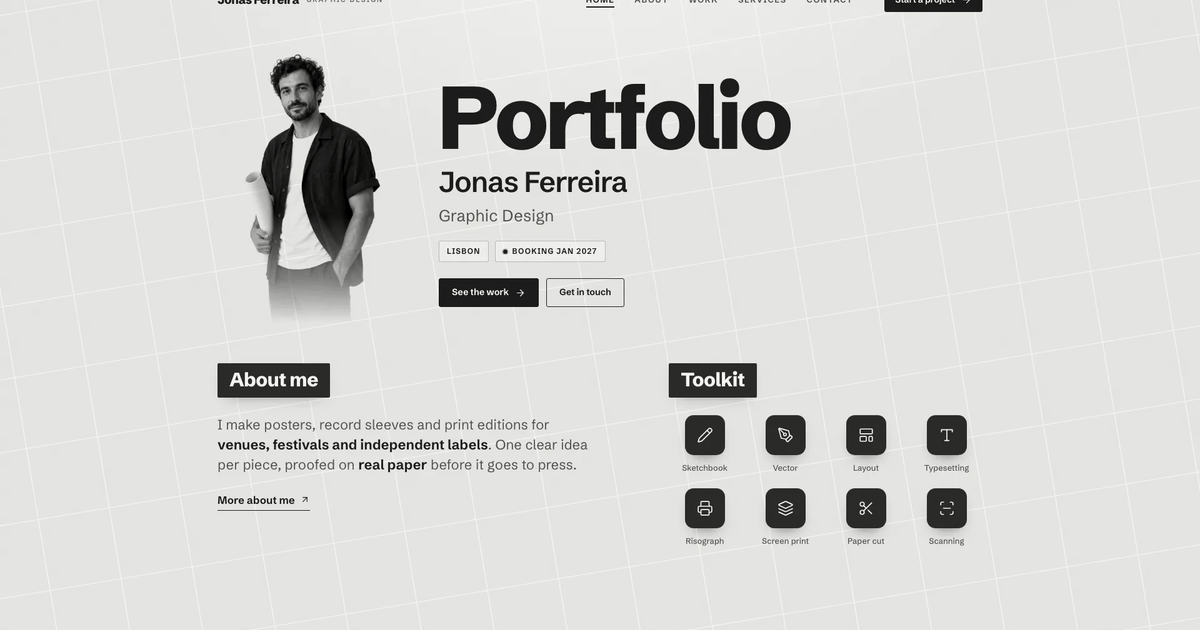
Build a multi-page portfolio for a digital designer or small studio: a lime-green frame around one rounded white sheet, a calm three-column hero with a centred portrait card, social buttons and an availability line, a client wordmark marquee, a services index, a collaboration split with process pho…


Similar Skills
What you’ll get
- A full portfolio: home, about, a services index with a page per service, a work index with a case study per project, testimonials, FAQ, a brief form, privacy a…
- The lime-frame look: lime border, white sheet, bold grotesk name, centred portrait card with an availability dot, wordmark marquee, near-black stats band and a…
- Working parts: work filters and search, FAQ search by topic, a testimonial carousel, project showcases built into the page and a brief form with validation
Great for
- Freelance designers and small studios who want a bright, confident site that sells the person as much as the work
- Designers with clearly scoped services and prices who want each offer and each project on its own page
- Photographers, illustrators or developers who can map commissions or projects onto the same service and case-study pages
Skip it if
- Muted or corporate brands: the lime frame and bold type are bright and personal by design
- A link-in-bio or one-page résumé: the Skill builds a full site with services, case studies and FAQ
- Live booking or payments: the brief and newsletter forms validate and confirm on the page but send nothing
About this Skill
- 1### 1. Gather the content story
- 2Ask for, or draft in a warm, direct first-person voice:
- 3- Name, a two-word role ("Digital Designer"), a one-sentence offer under
- 4 20 words (two short lines), one award or recognition line, one proof
- 5 number, the next available start date, email, phone and studio address.
- 6- Client names for the wordmark marquee (six to ten; text plus a simple glyph).
- 7- About: four short bio paragraphs, three principles, three facts, a dated
- 8 career path of three to five rows, recognition and a skill list.
- 9- Services (two to six; the worked example has four), each with price,
- 10 timeline, revisions, format, best-for, six inclusions, three dated steps,
- 11 a handover folder list, related projects and relevant FAQs.
- 12- Projects (three or more; the worked example has six), each with client,
- 13 year, services, role, timeline, brief, approach, outcome, three result
- 14 numbers, four deliverables, one client quote with name and role, and a
- 15 "what shipped" showcase idea.
- 16- Eight to twelve FAQ pairs grouped by topic.
- 17Map the brief onto the template with **Adapting to a real brief** below.
- 18Anything the brief does not give is drafted in this register (concrete
- 19weeks, prices and counts; short sentences; no superlatives, no em dashes,
- 20no lorem ipsum, no "Your Company") and listed in your final reply for the
- 21buyer to confirm or replace.
---
name: bs-lime-frame-designer-portfolio
description: "Build a multi-page digital-designer portfolio site framed by a lime-green border around a white sheet: a three-column hero with a centred portrait card, social icon column and availability dot, a client wordmark marquee, a collaboration split with mockup shots and a dark count-up stats band. Ships Home, About, Services with a page per service, Work with a case-study page per project, Testimonials, FAQ and a brief form, every page fully designed and linked. Ideal for freelance designers and small studios who want a bright, confident presence that sells the person as much as the work."
---

# Lime-Frame Designer Portfolio

A personal portfolio that reads like a white sheet resting on a lime-green
desk. A lime passe-partout frames the viewport; inside it one rounded white
sheet holds the whole site. The home hero is three calm columns: a short
greeting, the designer's name in bold uppercase grotesk at a restrained
64px, a one-line offer and one lime pill; a portrait card in the centre
with two round social buttons and a live availability line; and a right
column with a ruled award line, the two-tone role and one proof number.
Below it: a client wordmark marquee, a four-row services index, a
collaboration split with two process photos, a near-black stats band with
count-up numbers, an asymmetric work grid, a testimonial carousel, an FAQ
preview and a lime CTA band. Every inner page is designed to the same bar.

The visual source of truth is `references/template.html` (fonts from the
fontsource CDN, art in `references/images/`). It is filled with a fictional
worked example, the designer Rowan Ashby and six invented clients; none of
that identity may reach a buyer's site (the validator checks).

## Quality bar (read first)

The output must look like a real designer's live site that a buyer could
publish today: premium typography, imagery with one clear job per slot,
calm purposeful motion and no dead ends. Read these before writing code:

- [references/style-guide.md](references/style-guide.md): tokens, type scale, components, do and don't.
- [references/visual-contract.md](references/visual-contract.md): the signature compositions that must survive any stack.
- [references/image-plan.md](references/image-plan.md): art direction, every image slot with its prompt, and which shipped images may be reused.
- [references/motion-system.md](references/motion-system.md): durations, easings, reveal pattern, reduced motion.
- [references/quality-checklist.md](references/quality-checklist.md): the pre-delivery checklist. Every box must be ticked.

## Workflow

### 1. Gather the content story

Ask for, or draft in a warm, direct first-person voice:

- Name, a two-word role ("Digital Designer"), a one-sentence offer under
  20 words (two short lines), one award or recognition line, one proof
  number, the next available start date, email, phone and studio address.
- Client names for the wordmark marquee (six to ten; text plus a simple glyph).
- About: four short bio paragraphs, three principles, three facts, a dated
  career path of three to five rows, recognition and a skill list.
- Services (two to six; the worked example has four), each with price,
  timeline, revisions, format, best-for, six inclusions, three dated steps,
  a handover folder list, related projects and relevant FAQs.
- Projects (three or more; the worked example has six), each with client,
  year, services, role, timeline, brief, approach, outcome, three result
  numbers, four deliverables, one client quote with name and role, and a
  "what shipped" showcase idea.
- Eight to twelve FAQ pairs grouped by topic.

Map the brief onto the template with **Adapting to a real brief** below.
Anything the brief does not give is drafted in this register (concrete
weeks, prices and counts; short sentences; no superlatives, no em dashes,
no lorem ipsum, no "Your Company") and listed in your final reply for the
buyer to confirm or replace.

### 2. Choose the deliverable

No existing project: build **one self-contained HTML file** from the
template, like the store demo. This is the default; do not ask a stack
question. The buyer has a framework project or asks for one: inspect it
first, preserve unrelated files, never silently migrate an application,
and port per [references/framework-adaptation.md](references/framework-adaptation.md)
(Next.js App Router with TypeScript when a framework is wanted but not
named): pages become real routes, `SERVICES`, `PROJECTS` and `FAQS` become
typed data modules, sections become components. Never wrap the template in
an iframe or inject the whole document as raw HTML. The hash router belongs
to the single file only.

<!-- reui:stack -->
#### Interface components come from ReUI (React outputs)

In a React output (a framework port: Next.js unless the project uses
another React stack), build the generic controls (buttons, inputs,
selects, chip groups, accordion, mobile menu sheet, carousel controls) with
[ReUI](https://reui.io) components rather than hand-written controls, and
keep the template's own CSS for the art-directed parts. The single-file
deliverable implements the same behaviour in plain HTML so it stays one
offline file.

- Install from the official registry and use the real component source
  (`npx shadcn@latest add @reui/button`, and so on); the source lives at
  https://github.com/keenthemes/reui.
- Style through tokens, not forks: point ReUI's custom properties
  (`--primary`, `--background`, `--border`, `--radius`, ...) at this
  template's palette. [references/reui-components.md](references/reui-components.md)
  maps every template control to its ReUI component.
- In a non-React stack, check ReUI's real support before promising it.
  Astro can mount React islands; a Vue or Svelte project cannot use ReUI
  directly. Raise the conflict rather than switching stacks.
<!-- /reui:stack -->

### 3. Plan pages and sections

Read [references/page-library.md](references/page-library.md),
[references/route-inventory.md](references/route-inventory.md) and
[references/interior-pages.md](references/interior-pages.md). Always ship
Home, About, a services index with one page per service, a work index with
one case page per project, Testimonials, FAQ, Contact (brief form), Privacy
and Not found. Page names and URL paths follow the buyer's own words (for
example `#/projects` instead of `#/work`); the route map is `STATIC` plus
the two detail patterns in the script's `resolve()`. Keep the home order
and never repeat a section layout family on one page.

### 4. Plan the imagery before generating anything

Follow [references/image-plan.md](references/image-plan.md): write one art
direction sentence, then a slot table (id, role, aspect, crop focus, where
used, prompt). Every project gets its own cover subject; the portrait and
the studio photo must show the same person (match hair, glasses and
clothing); client avatars share one backdrop and crop. No text, logos or UI
inside photos. Product interfaces in case studies are built in HTML and CSS
(phone screens, tablet UI, browser mock, covers, labels), never faked inside
a photo. Look at every generated image, regenerate anything off-brief and
set `object-position` per slot so no head or product is cut.

### 5. Fill the template

Copy `references/template.html` with the `images/` you keep into a working
folder (for example `site/index.src.html` plus `site/images/`). Work through
every `<!-- REPLACE: ... -->` comment, then `SITE`, `SERVICES`, `PROJECTS`,
`FAQS`, `FAQ_CATS`, `HOME_FAQS`, `FEATURED` and `FILTERS` at the top of the
script; detail pages, cards, the testimonial carousel, the comparison table
and the FAQ groups render from those arrays. Register every image path in
`IMG` so the build can inline it, and give sample-named images new file
names. Then go through the **Replace checklist** below. Delete each REPLACE
comment once its slot holds real content.

### 6. Typography, colour and surfaces

Fonts: Schibsted Grotesk (variable) for everything and Geist Mono
(variable) for small data labels. The template loads them from the
fontsource CDN; the single-file build embeds them (step 10). A deployed
site may keep the two woff2 files in `fonts/` beside the page. In a
framework project install `@fontsource-variable/schibsted-grotesk` and
`@fontsource-variable/geist-mono` or use `next/font/google`
(`Schibsted_Grotesk`, `Geist_Mono`).

Lime `#d4f56a` is the only accent: the frame, the primary pill, icon discs,
the active nav pill, result tiles and the CTA band. Never lime text on
white. Long headings pair an ink fragment with a grey fragment.

### 7. Motion

Apply [references/motion-system.md](references/motion-system.md): hero
entrance within 900 ms, reveals that only hide content under `html.js` with
an IntersectionObserver safety net, one-time count-ups, a slow pausable
marquee, 140 ms leave and 280 ms enter route transitions with scroll to
top, and a full `prefers-reduced-motion` fallback.

### 8. Interactions and completeness

Every link reaches a designed page. Required behaviour: sticky header that
gains a backdrop, active nav pill, focus-trapped mobile menu sheet with Esc,
work filter chips plus search with an empty state, FAQ search and topic
filter with an empty state, single-open accordions, a testimonial carousel
with buttons, ticks, arrow keys and swipe, copy-to-clipboard with toast,
a brief form with chips, inline validation, loading and success states, a
newsletter form with validation, "Book this service" preselecting the
service on the brief form, interactive case showcases where they fit, and
a designed 404.

### 9. Icons

Inline SVG sprite in Lucide grammar only; see
[references/icon-library.md](references/icon-library.md). Never emoji,
Unicode dingbats or icon fonts. Client wordmarks are the client's name set
as text with a simple abstract glyph from the sprite, never a copied logo.

### 10. Build and validate

Build the single file from your source page and its `images/` folder, then
validate the result:

```bash
node scripts/inline-assets.mjs site/index.src.html site/index.html
node scripts/validate-lime.mjs site/index.html
```

`inline-assets.mjs` embeds every `images/`, `fonts/` and `assets/` file and
the fontsource CDN fonts as data URIs (it fails if a font cannot be
downloaded) and stores each repeated `<img>` once (repeats carry a 1 px
placeholder plus `data-img`, and a short script copies the source at load).
The validator's default mode checks offline self-containment, sandbox
safety, typed buttons, emoji, em dashes, stock names, leftover slots, route
integrity (home and not-found pages, at least four other pages, a
collection with detail pages, every `#/...` link and nav item resolves, one
`h1` per page), labelled form controls, alt text, the reduced-motion block,
`:focus-visible` styles, the signature structures and the size budget, and
it fails if any of the worked example's names, clients, people, awards,
places, phone, domain or slugs are left. Use `--files` for a deployed site
that keeps `images/` and `fonts/` beside the page, and `--template` to
check the template itself. For a framework port run its own build, lint
and type checks.

### 11. Review in a browser

Open every route at 1440, 1024, 768 and 390 px, and inside
`<iframe sandbox="allow-scripts">`. Walk the quality checklist: hero reads
in one glance, portrait face clear of the social column, marquee masked at
both edges, counters land on their real numbers, filters and searches show
empty states, forms validate and confirm without navigating, mobile menu
traps focus and closes on navigation, no horizontal scroll, no console
errors. Take desktop and mobile screenshots and fix what you see before
delivering.

## Adapting to a real brief

- **Counts flex; the layouts do not.** Services: two to six objects in
  `SERVICES`; `.svc-cards` is a 2x2 grid (dark first card, lime-soft
  `.svc-card:nth-child(4)`): with 3 services point that rule at the third
  card and give it `grid-column: 1 / -1`; with 5 or 6 the grid simply adds
  a row. Projects: three or more in `PROJECTS`; `FEATURED` on Home takes
  2 or 4 slugs (the 7/5 then 5/7 grid), `.work-grid` takes any number,
  filter chips and "Showing n of N" are computed, `FILTERS` lists only
  disciplines you use. Fact rows, `.results` and `.band__row` hold three
  figures (`repeat(3, ...)`; change the count there for two or four).
  Headings that state a number ("Four ways to work together.", "Six
  projects across...", "All six projects", "number seven") change with it.
- **Map the sections to the business.** A studio of two or three people:
  the hero name becomes the studio name, the portrait card shows the team
  photo, About's career path becomes the studio's milestones. A
  photographer or illustrator: Services become commission types or print
  sales, case showcases become image sets (use the `covers` or `range`
  compositions with their own photos), the stats band counts commissions or
  exhibitions. A developer or product designer: keep `phones`, `tablet` and
  `browser` showcases and fill them with the buyer's own screens.
- **Case showcases are compositions, not content.** `showcase(p)` holds six
  HTML mock-ups (`phones`, `covers`, `tablet`, `mark`, `browser`, `range`)
  whose text is written for the sample clients (a garden app, a publisher's
  covers, a speaker app, a bakery mark, a trips site, a skincare range).
  Pick one per project, rewrite every string inside it for that project,
  and delete the branches you do not use.
- **Real facts only.** For a real designer, client names, quotes, results,
  survey figures ("4.9 average from 61 post-project surveys"), awards,
  career rows, prices, dates and addresses come from the brief. Anything
  missing is drafted as clearly plausible placeholder copy and listed in
  your final reply for the buyer to confirm or replace. No invented awards,
  certifications or security claims; drop the award line and the
  recognition list when there is nothing real to show. Quotes need real
  clients' permission; without them, show fewer quotes rather than invented
  ones.
- **People photos.** This site sells a person: ask for the designer's
  portrait and a working photo (and client headshots for quotes, with
  permission). Generated portraits are stand-ins and must be called out as
  such in the final reply.
- **Shipped images.** Reusable as neutral studio art for a designer:
  `sketch`, `collab-table`, `collab-proofs`. Stand-ins only (they show the
  sample designer or invented clients; rename them and say so): `portrait`,
  `studio`, `client-1` to `client-6`. Sample-specific, regenerate for every
  buyer: `seedlark`, `kelden`, `ondel`, `mirefield`, `mirefield-stationery`,
  `saltmere`, `thalla-range`.
- **Deliverable.** No project: the single HTML file built with
  `scripts/inline-assets.mjs` (fonts and images as data URIs, safe in a
  sandboxed preview). A normal deployed site may keep `images/` and
  `fonts/` beside the page instead (validate with `--files`). A framework
  project: port per `references/framework-adaptation.md` with local image
  and font files.
- **The hero copy changes, its anatomy does not.** Greeting, two-line name,
  two-line offer, one lime pill, the portrait card with two social buttons
  and the availability line, then the award line, two-tone role and one
  proof number; same sizes and positions.

## Replace checklist

Strings that live outside the REPLACE slots and data arrays; the validator
names any sample leftover it finds.

- `<title>`, meta description, Open Graph tags and every page's
  `data-title`; `SITE.name` (used in service and case page titles).
- Brand name and `aria-label` in the header, footer and menu sheet; the
  menu sheet contact line and booking date.
- Every `data-copy` email and phone (hero socials, collaboration split,
  contact card, footer) and the privacy page's contact email.
- Availability dates ("from 9 November") on About, Contact, the CTA band
  and the FAQ answer about start dates.
- The work empty state hint ("Try a client name such as Seedlark").
- Brief form service chips: one per `SERVICES` entry with
  `data-value` = its slug (plus "Not sure yet"); budget chips in the
  buyer's currency and ranges. Footer Services links follow `SERVICES`.
- `showcase(p)` mock-up strings (app copy, cover titles, room names,
  browser URL, departure rows, product labels) and the
  `'product ui & ux'` label tweaks in `renderService`/`renderCase` if the
  service titles change.
- Footer blurb, newsletter promise and the copyright line.
- Image file names and `IMG` keys that carry a sample client's name.

## Single-file constraints

- One self-contained HTML file: images and fonts inlined as data URIs by
  `scripts/inline-assets.mjs`, no network requests, works from `file://`.
  Keep it under 5 MB (8 MB hard cap); the build embeds each repeated image
  once.
- Sandbox restrictions apply when the page is previewed inside a sandboxed
  iframe (a single-file demo): no storage, cookies, `fetch`, popups,
  `mailto:`/`tel:` links or top-level navigation; route state lives in JS
  and `history.pushState` sits in try/catch; forms use `type="button"`
  plus Enter handling because the sandbox blocks submission; clipboard
  falls back to `execCommand('copy')`. The template already works this
  way. A deployed site or framework project does not need them.
- A buyer's site uses the buyer's real name, domain and contact details;
  only the store demo is fictional (`.example` domains, `555` numbers).
  Placeholder details you had to draft go in the final reply.
- Forms confirm in-page and say nothing was sent until a backend is
  connected.
- English copy unless the brief says otherwise; no vendor badge.

## Files

- `references/template.html`: the blueprint (tokens, sprite, pages, data arrays, scripts) with the fictional worked example.
- `references/images/`: generated art used by the template (WebP; see the reuse policy above).
- `references/style-guide.md`: tokens, type, spacing, radii, shadows, components, do and don't.
- `references/visual-contract.md`: signature compositions and responsive behaviour.
- `references/image-plan.md`: art direction and the image slot table with prompts.
- `references/motion-system.md`: motion tokens, patterns and reduced-motion rules.
- `references/quality-checklist.md`: pre-delivery checklist.
- `references/page-library.md`: every page and section, canonical order, how to extend.
- `references/route-inventory.md`: the worked example's route table and how to rename routes.
- `references/interior-pages.md`: depth rules for inner pages.
- `references/icon-library.md`: sprite ids and icon rules.
- `references/framework-adaptation.md`: porting to a framework project, component mapping and fidelity checks.
- `references/reui-components.md`: template controls mapped to ReUI components.
- `scripts/inline-assets.mjs`: builds the single offline file (images, fonts, each repeated image once).
- `scripts/validate-lime.mjs`: the validator described in step 10.
User reviews
0 reviews
No reviews yet.
Ratings show up here once real people have tried it. We don’t display scores without the reviews behind them.
FAQ
What do I get by default?
One self-contained file that opens in any browser, works offline and makes no network requests, with every page reachable by its own link inside the file. If you have a framework project, or ask for one, the agent ports the design into real components and routes; Next.js with TypeScript is used when you want a framework but do not name one.
Do I need my own photos?
This site sells a person, so your own portrait and a working photo are best, plus client headshots with their permission. Otherwise the agent plans every slot in one art direction and generates stand-ins with its own image tool, which may charge for usage, and tells you which ones to replace. Project screens and mock-ups in the case studies are built into the page, never faked inside photos.
Can it show fewer services or projects?
Yes. It takes two to six services and three or more projects, and the grids, filters and counts adjust. Headings that state a number change with your content, and anything you have not given yet is drafted as placeholder copy and listed for you to confirm.