Plush Crew Launch Video
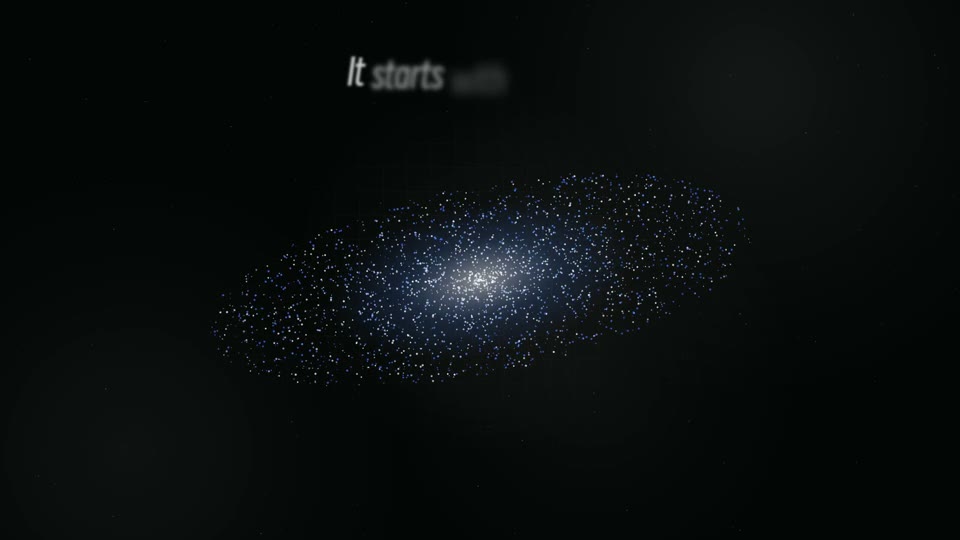
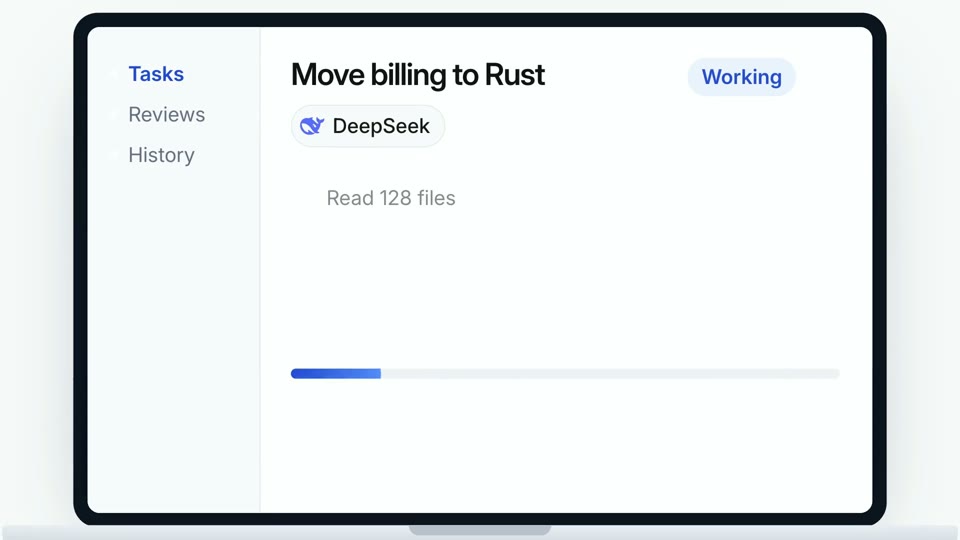
Turn any product link into a 40-second launch film where five cute characters, in the style you pick (geometric bots, expressive shapes or felt plush), build your product's promo live in a playful team editor: chat, cursors, a beat-synced timeline and a preview that plays your logo, real screenshot…


Similar Skills
What you’ll get
- A 40-second launch MP4 in 4K or 1080p, English or Chinese: five cute characters in your chosen style build your product's film live, with your logo, real outpu…
- A soundtrack fitted to the choreography from one continuous music track (ChatCut, ElevenLabs, FAL or your own), with interface sound effects on the exact beats.
- An editable HTML film with a scrubbable preview, plus the storyboard, the site research with sources, and the QA, build and render scripts.
Great for
- Founders and indie makers who want a cute, shareable launch clip built from their own website.
- Product launches, feature announcements and social posts that need English and Chinese versions.
- Products with real visual outputs or clear screens: AI tools, creative apps, SaaS and developer products.
Skip it if
- Talking-head videos, voiceover narration, subtitles or tutorials longer than a minute.
- Films with your own characters or mascots in the crew; the cast comes from three bundled character styles, picked to match your brand colors.
- Screen recordings of a live app; the film shows your real screenshots and outputs inside an animated editor.
About this Skill
- 1**Ask first: style, language and resolution.** Before any other work,
- 2 ask all three in one dialog with the host's question tool (for example `AskUserQuestion`;
- 3 without one, a short numbered list in chat) and wait for the answers. If
- 4 the host can show images, show the three preview strips first.
- 5 - **Character style** (`style` in the storyboard). Use these three option
- 6 labels; the names Grok Bot, Manus Cue and ChatGPT Dots are the terms
- 7 users know these looks by, so never translate or paraphrase them (only
- 8 the word "style" is written in the dialog language, after the name):
- 9 - **Grok Bot style** -> `bots`: flat vivid geometric shapes with two
- 10 simple eyes (`references/engine/crew/bots/preview.webp`)
- 11 - **Manus Cue style** -> `faces`: muted flat shapes with cartoon faces,
- 12 eyebrows and winks (`references/engine/crew/faces/preview.webp`)
- 13 - **ChatGPT Dots style** -> `felt`: fuzzy felted characters with tiny
- 14 accessories (`references/engine/crew/felt/preview.webp`)
- 15 All eight characters of each style are original designs drawn for this
- 16 Skill; the labels only name the look they follow.
- 17 - **Language**: the first option, marked as the default, is the language
- 18 the user wrote the request in; then English, Simplified Chinese, and
- 19 "English + Chinese" (two films on the same music). Offer the user's
- 20 language first even when it is neither of these.
- 21 - **Resolution**: 4K (3840x2160) or 1080p (1920x1080). 2K stays available
- 22 on request.
- 23 Skip a question only when the request already answers it. Then set up
- 24 `<project>/`, install `playwright-core`, and confirm the URL and the music
- 25 route. Music generation is billed by its
- 26 provider: say so and wait for a yes before submitting.
- 27**Research** - follow `references/research.md`. Capture the site with
- 28 `capture.mjs` (add `--locale <lang>`, for example `zh-CN` or `ja-JP`, for a
- 29 non-English film; also try the site's own language path such as `/zh`).
- 30 Read `site.json`, every screenshot and the pages that hold the facts
- 31 (features, how it works, pricing, FAQ). Pick the mark, the brand color and
- 32 the images. List each fact you will use with its URL in `sources`.
- 33 - When a company has several products, film the one the link points to.
- 34 - When the site has no copy in the film's language, translate its own
- 35 words faithfully, keeping every scope word, and say so in the report.
- 36 - When the capture is blocked (login wall, bot check, empty app shell) or
- 37 yields too few usable images, stop and ask the user for screenshots, a
- 38 logo file and the key facts instead of guessing. Never invent a
- 39 screenshot or a feature.
- 40**Write the storyboard** - `film.json` per `references/storyboard-schema.md`,
- 41 mapped with `references/story-mapping.md`. Start from
- 42 `references/example-storyboard.json`. Every claim comes from the product's
- 43 own pages: no invented numbers, prices, customers, reviews or features.
- 44 Pricing words ("free", "unlimited", prices) need the pricing page itself
- 45 (see "Pricing words" in `references/story-mapping.md`). Before building,
- 46 re-read every line of the storyboard against `sources` and fix or cut any
- 47 line that is not backed.
- 48**Music** - generate or collect the track (`references/music.md`), then
- 49 fit and mix it:
- 50 ```bash
- 51 node <skill>/scripts/soundtrack.mjs --music assets/music.mp3 --sfx-dir sfx --out-dir .
- 52 ```
- 53 Collect the interface sound effects into `sfx/` first ("Sound effects" in
- 54 `references/music.md`); without them the film only has thin synthesized
- 55 placeholders.
- 56**Build and review**
- 57 ```bash
- 58 node <skill>/scripts/build.mjs --storyboard film.json --out film --beats beats.json
- 59 node <skill>/scripts/qa.mjs film --out qa --per-scene 3
- 60 ```
- 61 Fix every `ERROR` and read every `WARN` and `console.warning` (long text is
- 62 shrunk and reported). Look at every QA sheet: text that is cut or shrunk,
- 63 a mark that is unreadable on its tile, images that crop badly, a highlight
- 64 that is too pale, chat bubbles longer than two lines. Check single moments
- 65 with `qa.mjs film --out qa --times 8.8,24.5`. Rebuild after each change.
- 66 The build prints the crew it picked; to change it, set `crew` overrides or
- 67 `file` from the style's `crew.json` (see the schema).
- 68**Render**
- 69 ```bash
- 70 node <skill>/scripts/render.mjs film --out acme-en-4k.mp4 --resolution 4k \
- 71 --workers 6 --audio soundtrack.wav --audio-fade 0.05
- 72 ```
- 73 The stage is laid out at 1920x1080; 2K and 4K render the same frames at a
- 74 higher pixel density.
- 75**Verify and deliver** - `ffprobe` the MP4 (resolution, 30 fps, audio,
- 76 duration), make a contact sheet
- 77 (`ffmpeg -i film.mp4 -vf "fps=1/2,scale=480:-1,tile=5x4" -frames:v 1 sheet.jpg`),
- 78 look at it, then deliver the MP4, the `film/` folder, `factcheck.md` and
- 79 the report.
- 80For a second language, write a second storyboard (`film-zh.json`) with the
- 81workspace labels, crew names and default chat lines in that language
- 82("Other languages" in `references/storyboard-schema.md`), build it into its
- 83own folder with the same `beats.json`, and render it with the same
- 84`soundtrack.wav`.
---
name: bs-plush-crew-launch-video
description: "Turn any product link into a 40-second launch film where five cute characters, in the style you pick (geometric bots, expressive shapes or felt plush), build your product's promo live in a playful team editor: chat, cursors, a beat-synced timeline and a preview that plays your logo, real screenshots, key features and URL. The Skill reads the site, checks every claim against it, matches the crew's colors to your brand and delivers an editable film plus a 4K or 1080p MP4 in English, Chinese or both. Use it for launch posts, product announcements and social clips."
---

# Plush Crew Launch Video

A human asks the team chat "Who can explain <product> in 40 seconds?" Five
crew characters hop onto their cursors and make the film live: they drop
clips on the timeline, bite the beat, jump into an empty slot and fact-check
a hype sticker, while the preview plays the product's own film: logo, hero
line, real outputs, where it works, how it works, why to trust it. The camera
pushes into the preview for the end card and the crew jump on the final hit.

The choreography is fixed and beat-timed; the product supplies the words,
colors, logo and images. Read `references/story-mapping.md` once before the
first film: it shows the whole timeline.

## What you deliver

- `film/` - an editable, previewable HTML film (`node <skill>/scripts/serve.mjs film`).
- `soundtrack.wav` - the fitted music with the interface foley.
- `<name>-<lang>-<res>.mp4` - about 41 s, 30 fps H.264 + AAC, at the
  resolution picked in the opening dialog (4K or 1080p; 2K on request).
- `factcheck.md` - every on-screen claim with its source page and status.
- A short report: the images used, the music route and job ids, and anything
  the user should check.

## Inputs

- A link to the product (required): its website, or a product page such as
  an App Store, Google Play, Chrome Web Store or Product Hunt listing. Product
  material (screenshots, a logo, a press kit, docs) can replace or add to it;
  the film still needs a URL to show on the end card.
- Chosen in the opening dialog: the character style and the language(s).
- Optional: resolution, a music track the user owns, brand colors, a better
  logo file.

## Requirements

- Node.js 20+ and FFmpeg on PATH.
- In the project folder: `npm install playwright-core`, plus Google Chrome
  (preferred) or `npx playwright install chromium`.
- Music, one of (see `references/music.md`): ChatCut Desktop tools (default),
  `ELEVENLABS_API_KEY`, `FAL_KEY`, or a track the user owns.
- Internet for the capture (and for a Google Fonts brand face; `--offline`
  builds with the bundled fonts).

Run every script with the project folder as the working directory, so
Playwright resolves: `cd <project> && node <skill>/scripts/<script>.mjs ...`.

## Workflow

1. **Ask first: style, language and resolution.** Before any other work,
   ask all three in one dialog with the host's question tool (for example `AskUserQuestion`;
   without one, a short numbered list in chat) and wait for the answers. If
   the host can show images, show the three preview strips first.

   - **Character style** (`style` in the storyboard). Use these three option
     labels; the names Grok Bot, Manus Cue and ChatGPT Dots are the terms
     users know these looks by, so never translate or paraphrase them (only
     the word "style" is written in the dialog language, after the name):
     - **Grok Bot style** -> `bots`: flat vivid geometric shapes with two
       simple eyes (`references/engine/crew/bots/preview.webp`)
     - **Manus Cue style** -> `faces`: muted flat shapes with cartoon faces,
       eyebrows and winks (`references/engine/crew/faces/preview.webp`)
     - **ChatGPT Dots style** -> `felt`: fuzzy felted characters with tiny
       accessories (`references/engine/crew/felt/preview.webp`)

     All eight characters of each style are original designs drawn for this
     Skill; the labels only name the look they follow.
   - **Language**: the first option, marked as the default, is the language
     the user wrote the request in; then English, Simplified Chinese, and
     "English + Chinese" (two films on the same music). Offer the user's
     language first even when it is neither of these.

   - **Resolution**: 4K (3840x2160) or 1080p (1920x1080). 2K stays available
     on request.

   Skip a question only when the request already answers it. Then set up
   `<project>/`, install `playwright-core`, and confirm the URL and the music
   route. Music generation is billed by its
   provider: say so and wait for a yes before submitting.
2. **Research** - follow `references/research.md`. Capture the site with
   `capture.mjs` (add `--locale <lang>`, for example `zh-CN` or `ja-JP`, for a
   non-English film; also try the site's own language path such as `/zh`).
   Read `site.json`, every screenshot and the pages that hold the facts
   (features, how it works, pricing, FAQ). Pick the mark, the brand color and
   the images. List each fact you will use with its URL in `sources`.
   - When a company has several products, film the one the link points to.
   - When the site has no copy in the film's language, translate its own
     words faithfully, keeping every scope word, and say so in the report.
   - When the capture is blocked (login wall, bot check, empty app shell) or
     yields too few usable images, stop and ask the user for screenshots, a
     logo file and the key facts instead of guessing. Never invent a
     screenshot or a feature.
3. **Write the storyboard** - `film.json` per `references/storyboard-schema.md`,
   mapped with `references/story-mapping.md`. Start from
   `references/example-storyboard.json`. Every claim comes from the product's
   own pages: no invented numbers, prices, customers, reviews or features.
   Pricing words ("free", "unlimited", prices) need the pricing page itself
   (see "Pricing words" in `references/story-mapping.md`). Before building,
   re-read every line of the storyboard against `sources` and fix or cut any
   line that is not backed.
4. **Music** - generate or collect the track (`references/music.md`), then
   fit and mix it:

   ```bash
   node <skill>/scripts/soundtrack.mjs --music assets/music.mp3 --sfx-dir sfx --out-dir .
   ```

   Collect the interface sound effects into `sfx/` first ("Sound effects" in
   `references/music.md`); without them the film only has thin synthesized
   placeholders.

5. **Build and review**

   ```bash
   node <skill>/scripts/build.mjs --storyboard film.json --out film --beats beats.json
   node <skill>/scripts/qa.mjs film --out qa --per-scene 3
   ```

   Fix every `ERROR` and read every `WARN` and `console.warning` (long text is
   shrunk and reported). Look at every QA sheet: text that is cut or shrunk,
   a mark that is unreadable on its tile, images that crop badly, a highlight
   that is too pale, chat bubbles longer than two lines. Check single moments
   with `qa.mjs film --out qa --times 8.8,24.5`. Rebuild after each change.
   The build prints the crew it picked; to change it, set `crew` overrides or
   `file` from the style's `crew.json` (see the schema).
6. **Render**

   ```bash
   node <skill>/scripts/render.mjs film --out acme-en-4k.mp4 --resolution 4k \
        --workers 6 --audio soundtrack.wav --audio-fade 0.05
   ```

   The stage is laid out at 1920x1080; 2K and 4K render the same frames at a
   higher pixel density.
7. **Verify and deliver** - `ffprobe` the MP4 (resolution, 30 fps, audio,
   duration), make a contact sheet
   (`ffmpeg -i film.mp4 -vf "fps=1/2,scale=480:-1,tile=5x4" -frames:v 1 sheet.jpg`),
   look at it, then deliver the MP4, the `film/` folder, `factcheck.md` and
   the report.

For a second language, write a second storyboard (`film-zh.json`) with the
workspace labels, crew names and default chat lines in that language
("Other languages" in `references/storyboard-schema.md`), build it into its
own folder with the same `beats.json`, and render it with the same
`soundtrack.wav`.

## Quality bar

- It reads as the product: its own mark, colors, hero line, outputs and URL.
  The crew wear the brand's colors; the director wears the closest one.
- Every word in the preview is true and sourced. Chat jokes are about making
  the film, never at anyone's expense.
- No text is cut off or shrunk past the build warnings; every chat line fits
  in two lines.
- Real images only: the product's screens and outputs. No stock people, no
  other companies' screenshots. Third-party logos only when the product shows
  them, with the trademark fine print.
- One continuous piece of music with no stops; the accents land on the logo
  drop, the stamps and the end-card jump, and the music eases out after the
  final hit instead of being cut.
- Every chat send, reply, click and stamp has a real sound effect.

## Rights and limits

- The crew characters (three styles), the engine, the fonts (SIL Open Font License) and the
  Lucide icons (ISC) ship with the Skill. The product's logo, screenshots and
  copy belong to the product owner: make films for products the user owns or
  may promote. For any other product, keep the "Concept film" label, use
  public material only and do not publish the film as official material.
- The editor in the film is a concept workspace, not a real product feature;
  the concept label says so.
- Generated music follows its provider's terms for commercial use.
User reviews
0 reviews
No reviews yet.
Ratings show up here once real people have tried it. We don’t display scores without the reviews behind them.
FAQ
How does it match my brand?
It uses your own logo mark, hero line, product images and URL, fetches your heading font from Google Fonts when you use one, and picks the five crew members so their colors follow your brand color. The highlighter, tiles and timeline clips take your colors too.
Where does the music come from?
By default it is generated in ChatCut Desktop. You can instead use your own ElevenLabs API key, ElevenLabs Music through FAL with a FAL key, or a track you own. The Skill plays one continuous stretch of it, timed to the film's beats, and synthesises the interface sounds locally.
Can it make a film for a product I do not own?
It can make a concept film from public pages, which keeps a visible Concept film label. Do not publish it as official material without the owner's permission.